

Ascend Zap
Comparison guide

DIY websites are cheap until they become another unfinished job.

A builder gives you the tool. Essentials gives you a managed website foundation that stays current.

Run the free audit
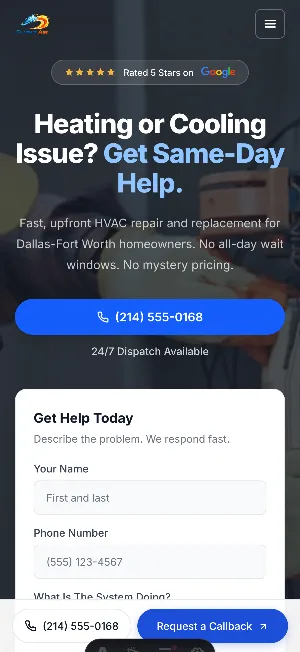
Mobile website preview for an HVAC contractor
HVAC Service calls
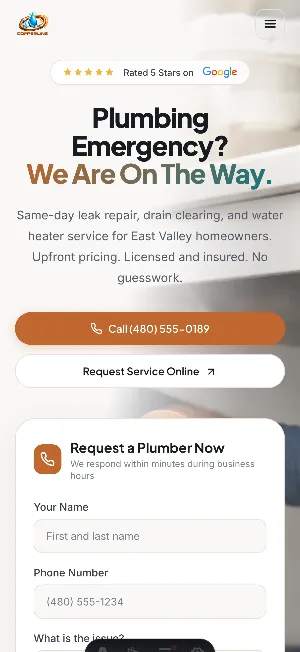
Mobile website preview for a plumbing company
Plumbing Urgent quotes
Mobile website preview for a solar installer
Solar Consultations

Everything around the first impression, handled.

Choose a DIY website builder if you want to handle the writing, setup, design, hosting decisions, forms, updates, and maintenance yourself. Choose Essentials if you want a managed contractor website foundation handled for you while you keep running the business.

01 Managed website
02 Local search support
03 Lead capture
04 Hosting
05 Maintenance
06 Tech & AI updates

From first search to first conversation.

01

Find

Show the right work

Services and service areas are easier to understand before a homeowner calls.
02

Trust

Reduce hesitation

Reviews, proof, photos, and clear offers help the business feel credible.
03

Contact

Make action obvious

Calls, texts, and quote requests stay visible on desktop and mobile.
04

Update

Keep it current

Hosting, maintenance, and simple updates stay handled after launch.
01 Area coverage

When a DIY website builder makes sense

DIY can be a reasonable start when budget is the only constraint and the owner has time to write pages, organize services, connect forms, choose layouts, update content, and maintain the site.

02 Mobile lead path

Where DIY usually breaks down for contractors

The problem is rarely the tool itself. The problem is time. A contractor may start the site with good intentions, then jobs, estimates, calls, crew issues, and customer work take over.

  • 01 Service pages stay unfinished
  • 02 Photos and reviews never get added
  • 03 Forms are not tested or routed properly
  • 04 Mobile calls to action are weak
  • 05 Service areas are unclear
  • 06 The site slowly stops matching the business
03 Proof library

Where a managed website service is stronger

A managed service is stronger when the owner is busy on jobs, needs trade-aware messaging, and does not want to troubleshoot website issues after launch.

  • 01 Less time spent learning page builders
  • 02 Clearer trade and service positioning
  • 03 Managed hosting, maintenance, and simple updates
  • 04 Lead capture paths planned around calls, texts, forms, and quote requests
  • 05 A website foundation built around local trust, not just design
04 Care loop

The practical decision

If you enjoy working on your website and can keep it current, DIY may be enough. If the website keeps falling behind the business, Essentials is a better fit because the foundation, hosting, maintenance, and updates are managed.

Before you choose

Frequently Asked Questions

Is a DIY website builder bad for contractors?

No. A DIY builder can be a reasonable start. The risk is that many contractor sites stay unfinished, underspecified, hard to update, or weak on lead capture because the owner is busy running jobs.

Is WordPress better than a managed contractor website?

WordPress can be powerful, but it still needs setup, hosting, maintenance, security, plugins, content, and updates. A managed service is better when you want those responsibilities handled.

Is Wix or Squarespace enough for a contractor website?

They can be enough if you know what to write, how to structure service pages, how to set up contact paths, and how to keep the site updated. If you do not want to manage those details, a managed website service is usually a better fit.

What makes Essentials different from a cheap website build?

Essentials is managed after launch. It includes the website foundation, local search structure, lead capture, hosting, maintenance, and simple updates instead of only handing over a static site.

Who should choose Essentials instead of DIY?

Choose Essentials if you want a professional contractor website foundation but do not want to spend your evenings writing pages, editing layouts, fixing forms, managing hosting, or figuring out local SEO basics.